
pattern/observability/log-aggregation
Infraestrutura realintermediário
- Bun
- Coletor de telemetria
- Grafana Loki
- Promtail
- TypeScript
- Docker
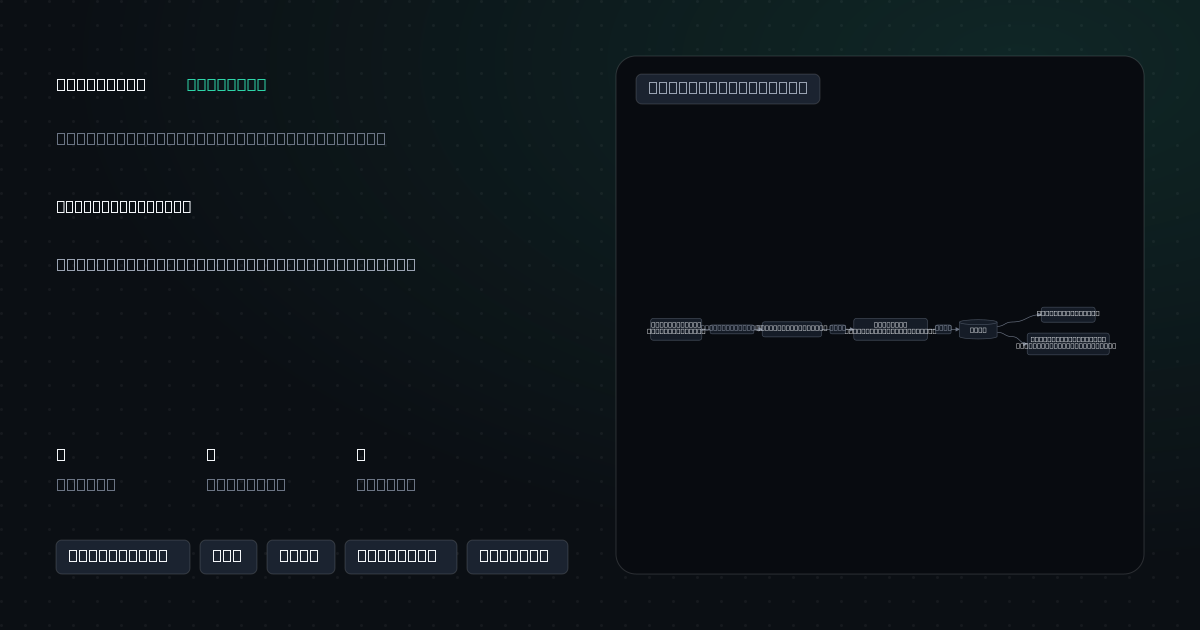
Logs de todos os serviços num lugar pesquisável por campo: o serviço escreve JSON por linha com PII mascarada, o Promtail envia ao Loki e o LogQL reconstrói a operação pelo correlationId.
pattern/observability/log-aggregation
Cenário
Dois PIX (um liquidado, um bloqueado); a consulta pelo correlationId do bloqueado traz só ele, sem CPF nem chave PIX.
Planta
Fluxo4 passos — reproduza para seguir o fluxo
Como funciona
4passos
Logs JSON com PII mascarada enviados ao Loki e pesquisados por campo com LogQL
Esconde cada passo: lembre antes de tocar para revelar.
Vocabulário compartilhado
Envelope fixotimestamp, level, service, correlationId, message
Chaves sensíveis mascaradas antes de serializar
Promtail promove a label só service e level
correlationId filtrado com | json, nunca como label
Trade-offs
O que se ganha, o que se paga
Vantagens
Busca por qualquer campo
Poucas labels, Loki barato
Custos
JSON é volumoso
Filtro por campo é mais lento
Código
pattern/observability/log-aggregation
8 arquivos./
collector/
logs/
src/
Executar com Docker
docker compose up -d --wait# sobe Promtailbun install# dependênciasbun run demo# roda o cenáriodocker compose down -vSaída: a consulta LogQL pelo correlationId do PIX-7002 traz 2 linhas, pix processing started (CPF e chave PIX mascarados) e pix blocked by the night limit com limitCents 100000.
Código
src/demo.ts// Demo: the payments service writes masked JSON lines; Promtail ships them to Loki, and one LogQL query by correlationId rebuilds a PIX's story.
import { appendFileSync } from "node:fs";
import { join } from "node:path";
const LOKI_URL = Bun.env.LOG_AGGREGATION_LOKI_URL ?? "http://localhost:3100";
const PIX_NIGHT_LIMIT_CENTS = 100_000;
// Stands in for the container runtime, which captures the service's stdout to the node's disk; Promtail tails it.
const LOG_FILE = join(import.meta.dirname, "..", "logs", "payments.log");
// Masked inside the logger, by key, before serialization: never case by case at the call site.
const SENSITIVE_KEYS = new Set(["payerDocument", "pixKey"]);
const valueMask = (value: unknown) => `${"*".repeat(String(value).length - 2)}${String(value).slice(-2)}`;
// One JSON line per event in a fixed envelope; the envelope comes last, so a field can never overwrite it.
// Strictly increasing milliseconds keep the order of lines written in the same millisecond.
let lastMs = 0;
function log(level: "info" | "warn" | "error", correlationId: string, message: string, fields: Record<string, unknown> = {}) {
const masked = Object.fromEntries(Object.entries(fields).map(([key, value]) => [key, SENSITIVE_KEYS.has(key) ? valueMask(value) : value]));
appendFileSync(LOG_FILE, `${JSON.stringify({ ...masked, timestamp: new Date((lastMs = Math.max(Date.now(), lastMs + 1))).toISOString(), level, service: "svc-payments", correlationId, message })}\n`);
}
const run = Date.now().toString(36);
const pixProcess = (pixId: string, amountCents: number) => {
log("info", pixId, "pix processing started", { payerDocument: "987.654.321-00", pixKey: "+5511912345678", amountCents });
if (amountCents > PIX_NIGHT_LIMIT_CENTS) return log("warn", pixId, "pix blocked by the night limit", { amountCents, limitCents: PIX_NIGHT_LIMIT_CENTS });
log("info", pixId, "pix processing completed", { status: "settled" });
};
pixProcess(`PIX-7001-${run}`, 50_000);
pixProcess(`PIX-7002-${run}`, 550_000);
// correlationId is filtered inside the line (| json): as a label it would create one stream per operation.
const query = `{service="svc-payments"} | json | correlationId="PIX-7002-${run}"`;
const parameters = new URLSearchParams({ query, start: String((Date.now() - 600_000) * 1e6), direction: "forward" });
let lines: [string, string][] = [];
// Promtail tails and Loki indexes asynchronously: wait until both lines of the PIX are queryable.
while (lines.length < 2) {
await Bun.sleep(500);
const { data } = (await (await fetch(`${LOKI_URL}/loki/api/v1/query_range?${parameters}`)).json()) as { data: { result: { values: [string, string][] }[] } };
lines = data.result.flatMap((stream) => stream.values);
}
console.log(` [LOKI] ${query}`);
for (const [, line] of lines.toSorted(([left], [right]) => (left < right ? -1 : 1))) console.log(` ${line}`);Nível
intermediário
5/13
Domínio financeiro
Padrões do catálogo que implementa
Infraestrutura
Grafana Lokiagregação de logs
grafana/loki:2.9.0:3100
Promtailcoletor de logs
grafana/promtail:2.9.0
Variáveis de ambiente
Trilhapasso 2 de 4
Observabilidade
Relações
Onde ele se encaixa
Por que se relacionam
Vem antes
Próximo passo
Teste rápido
Qual é o próximo passo depois de Log Aggregation?
Mostra o caminho entre serviços. Abrir Distributed Tracing
Seu progresso
0/157 estudados
Fica salvo só neste navegador.