
pattern/architecture/micro-frontends
Lógica puraintrodutório
- AbortSignal
- Bun
- ElysiaJS
- TypeScript
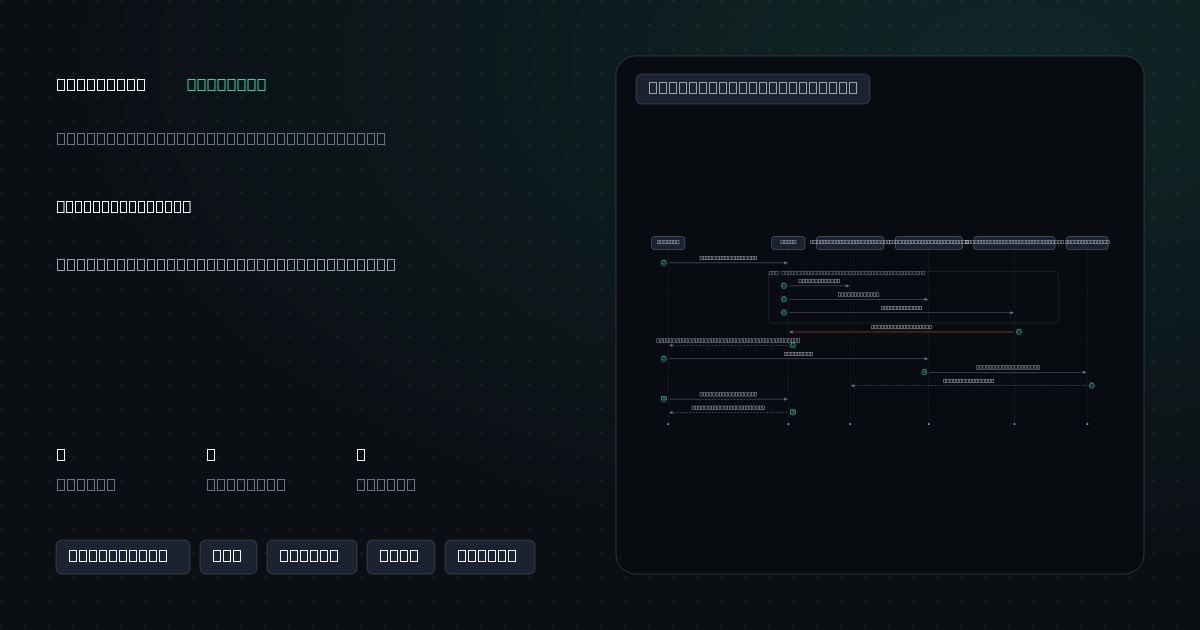
Cada time entrega uma fatia vertical (fragmento de tela + backend) com deploy próprio; um shell compõe a página e uma fatia fora vira aviso no lugar dela.
pattern/architecture/micro-frontends
Cenário
Tela da conta com extrato (contas) e investimentos (wealth); investimentos cai e o extrato segue visível.
Planta
Sequência5 passos — reproduza para seguir o fluxo
Como funciona
4passos
Cada time entrega uma fatia vertical (fragmento de tela + backend) com deploy próprio
Esconde cada passo: lembre antes de tocar para revelar.
Vocabulário compartilhado
Cada micro-frontend é um Elysia que devolve <section data-mfe="nome">
O shell busca em paralelo, com AbortSignal.timeout
Erro ou timeoutFallback no lugar do fragmento
A página custa o fragmento mais lento, limitado pelo timeout
Trade-offs
O que se ganha, o que se paga
Vantagens
Deploy independente por fatia
Falha degrada só o trecho
Custos
Mais servidores e pipelines
Consistência visual exige design system
Código
pattern/architecture/micro-frontends
4 arquivos./
src/
Executar só Bun
bun install# dependênciasbun run demo# roda o cenárioSaída: com as duas fatias no ar, extrato e investimentos; com investimentos fora, o extrato segue e investimentos mostra “Indisponível no momento”.
Código
src/demo.ts// Demo: the account page is composed by a shell from fragments served by two teams on their own servers; one goes down, the page stays up.
import { Elysia } from "elysia";
// Each micro-frontend is its own server and deploy; the contract with the shell is one root element named after it.
const fragmentServe = (name: string, inner: string) =>
new Elysia().get("/fragment", ({ set }) => {
set.headers["content-type"] = "text/html; charset=utf-8";
return `<section data-mfe="${name}">${inner}</section>`;
}).listen(0);
const statement = fragmentServe("statement", "<ul><li>PIX para maria@banco.com.br −R$ 250,00</li></ul>");
const investments = fragmentServe("investments", "<p>Tesouro Selic 2029 R$ 15.000,00</p>");
const routes = [
{ name: "statement", url: `http://localhost:${statement.server!.port}` },
{ name: "investments", url: `http://localhost:${investments.server!.port}` },
];
const FRAGMENT_TIMEOUT_MS = 300;
// Shell: fetches fragments in parallel, each with its own timeout; an error or a slow fragment becomes a fallback.
// The page costs the slowest fragment capped by the timeout, never the sum.
const shell = new Elysia().get("/accounts/:accountId", async ({ set }) => {
const fragments = await Promise.all(
routes.map((route) =>
fetch(`${route.url}/fragment`, { signal: AbortSignal.timeout(FRAGMENT_TIMEOUT_MS) }).then(
(response) => response.text(),
() => `<section data-mfe="${route.name}" data-status="unavailable"><p>Indisponível no momento</p></section>`,
),
),
);
set.headers["content-type"] = "text/html; charset=utf-8";
return `<main>${fragments.join("")}</main>`;
});
async function pagePrint(label: string): Promise<void> {
const html = await (await shell.handle(new Request("http://localhost/accounts/CC-1"))).text();
console.log(` [SHELL] ${label}`);
for (const match of html.matchAll(/<section data-mfe="(\w+)"[^>]*>(.*?)<\/section>/g)) console.log(` ${match[1]?.padEnd(12)} ${match[2]?.replace(/<[^>]+>/g, " ").trim()}`);
}
await pagePrint("both teams up");
await investments.stop(true);
await pagePrint("investments team down: the page renders with its fallback");
await statement.stop(true);Nível
introdutório
1/13
Domínio financeiro
Padrões do catálogo que implementa
Por que se relacionam
Teste rápido
Qual destes combina com Micro-Frontends?
Um backend por frente. Abrir Backend for Frontend
Seu progresso
0/157 estudados
Fica salvo só neste navegador.